A 5-inch touchscreen that replaces a console of switches — and it isn't tied to one keypad. Helm Deck 5 emulates both Haltech and Blink Marine CAN keypads, running one pad or several on the one screen, every key lit live by your ECU exactly like the real thing.
Two keypad families today — Haltech and Blink Marine — with more on the way.
Haltech
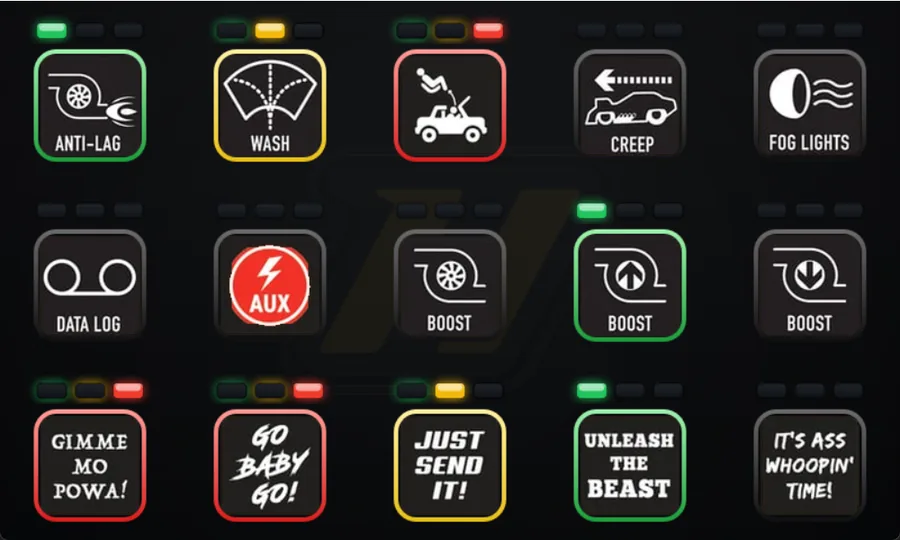
Haltech CAN keypads
Emulates the Haltech 2×4 (8-key) and 3×5 (15-key) pads — run one or two at once, on the A or B node, so Helm Deck 5 can share a bus with a physical Haltech pad. Key illumination follows the ECU's LED state — red, amber, green — with the optional 3-LED indicator strip above each key.
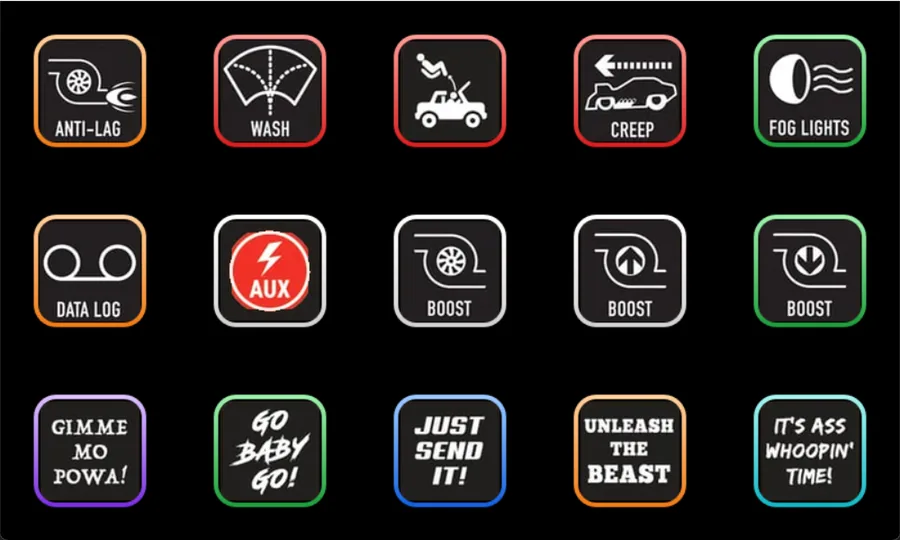
Blink Marine
Blink Marine PKP keypads
Emulates the Blink Marine PKP-2200, 2500, 2600 and 3500 (PKP-SI) pads — full per-key RGB in the eight PKP colours, plus per-key blink, commanded straight from CANopen.
What it does
A whole switch panel, on one screen.
01
Configurable layouts
Presets from a single 8- or 15-key pad up to two 15s plus two 8s — run multiple pads on the one screen, even alongside a physical one.
02
Selectable CAN speed
1M, 500k, 250k or 125k — match a Haltech 1M bus, a GM 500k bus or a stock Blink Marine 125k bus.
03
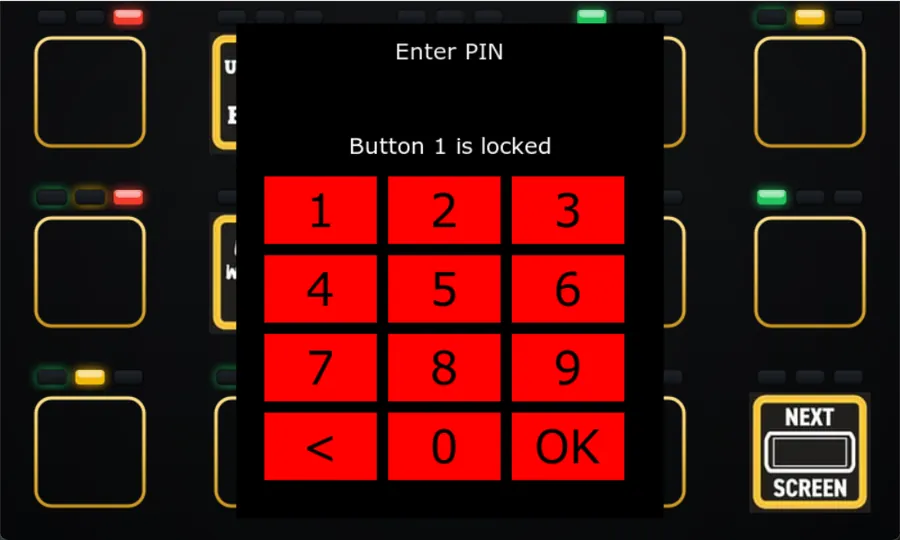
Built-in immobiliser
A chosen key stays inert until a PIN is entered; a lost PIN clears with a signed unlock key.
04
Wi-Fi & signed updates
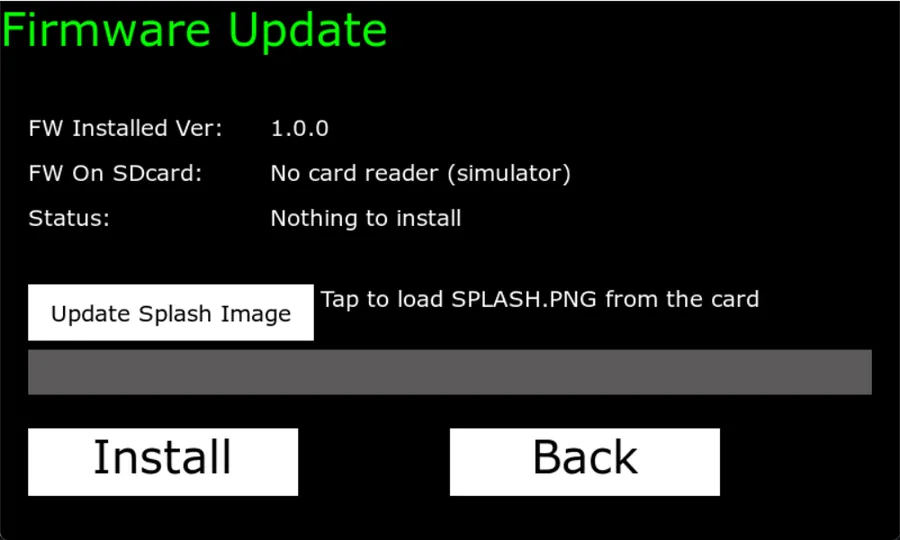
On-screen Wi-Fi setup, plus signed firmware and a custom boot splash loaded from SD.
On the screen
Your switch panel, your way.
Real captures from the keypad. Tap any screen to enlarge.
Screenshot coming soon
Haltech keypad
Emulates a Haltech pad — the ring follows the ECU's LED state (red/amber/green), with the 3-LED indicator strip above each key.
Screenshot coming soon
Blink Marine keypad
Also emulates Blink Marine PKP pads — full per-key RGB and blink, commanded straight from CANopen.
Screenshot coming soon
PIN immobiliser
Gate a chosen key behind a PIN — it stays inert until the code is entered, so nothing fires by accident.
Screenshot coming soon
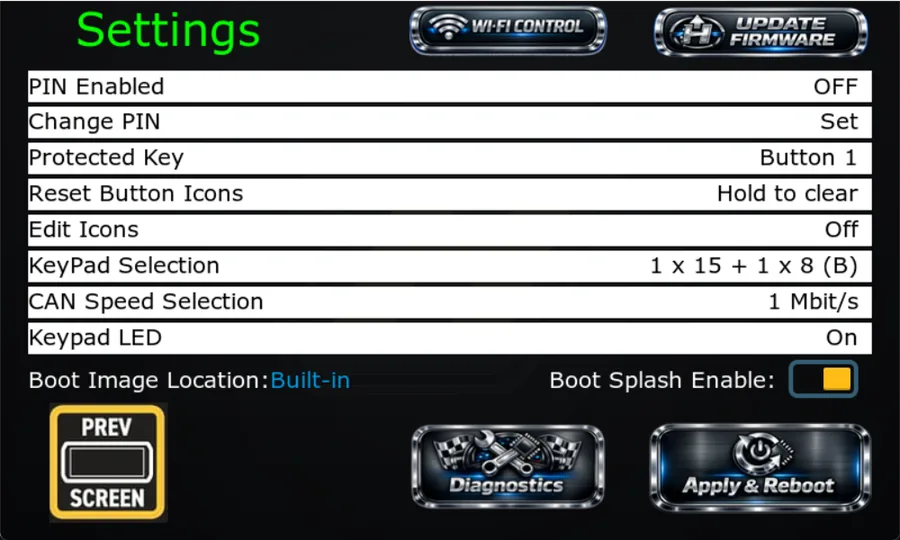
Settings
Pick the pad model and CAN speed, set the PIN and protected key, choose icons and LED options — all on-screen.
Screenshot coming soon
Wi-Fi setup
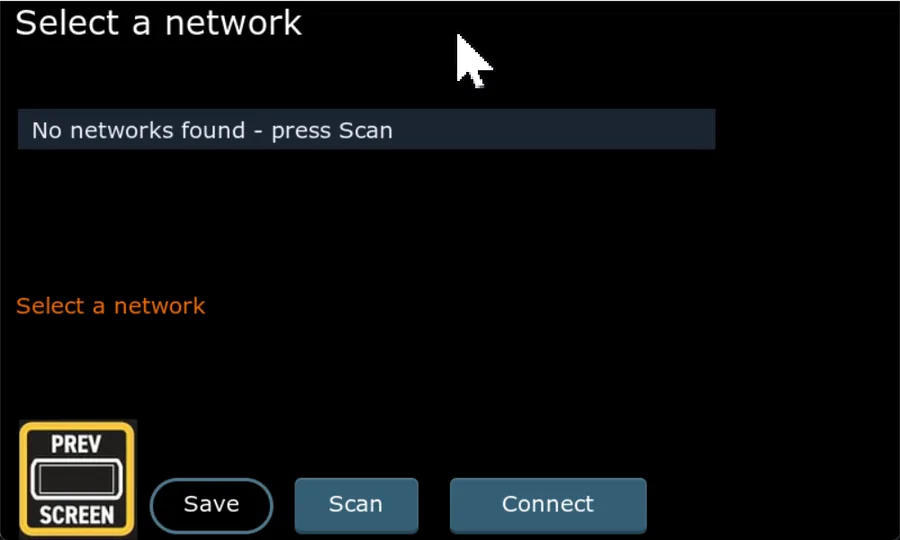
Scan for networks, pick an SSID and connect — right from the pad.
Screenshot coming soon
Firmware update
Signed firmware and a custom boot splash, loaded from an SD card on the device.
Specifications
Helm Deck 5
Indicative specifications — subject to change before release.